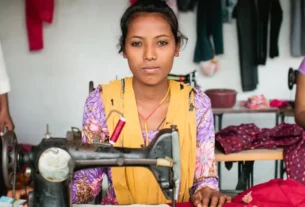
The Labour Card (E-Shram Card) is an important government initiative that allows workers in the unorganised sector to register and access various welfare benefits.
In 2026, the application process has been made simple and fully online, enabling workers to register quickly using Aadhaar and mobile verification.
This guide explains the complete step-by-step process to apply for a Labour Card online, along with required documents and important instructions.
💳 What is Labour Card Registration?
Labour Card registration is the process of enrolling yourself on the E-Shram portal, after which you receive a 12-digit Universal Account Number (UAN).
This number acts as your identity for accessing government schemes like insurance, pension, and financial assistance.
👉 Apply Here: https://eshram.gov.in
📄 Documents Required Before Applying
Before starting the application, keep these ready:
- Aadhaar Card
- Mobile number linked with Aadhaar
- Bank account details (Account Number & IFSC)
- Passport-size photo (optional in some cases)
💻 Labour Card Online Application Process (2026)
Follow these simple steps carefully:
1️⃣ Visit the Official Website
Go to the official E-Shram portal:
👉 https://eshram.gov.in
Click on “Register on E-Shram”
2️⃣ Enter Mobile Number & Verify OTP
- Enter your Aadhaar-linked mobile number
- Fill the CAPTCHA code
- Click on Send OTP
- Enter the OTP received on your phone
- Click Validate
3️⃣ Aadhaar Verification
- Enter your 12-digit Aadhaar number
- Select OTP authentication
- Enter OTP received on Aadhaar-linked mobile
- Click Validate
4️⃣ Fill Personal Details
Now enter your basic details:
- Full Name
- Date of Birth
- Gender
- Marital Status
- Father/Spouse Name
- Category (General / OBC / SC / ST)
- Disability status (if applicable)
5️⃣ Enter Address & Contact Details
- Current address
- Permanent address
- Mobile number
- Email ID (optional)
6️⃣ Enter Education Details
- Select your highest educational qualification
7️⃣ Enter Occupation Details
- Choose your type of work (occupation)
- Add work experience
- Select nature of job (daily wage, self-employed, etc.)
8️⃣ Enter Bank Details
Fill your bank information carefully:
- Bank Name
- Account Number
- IFSC Code
(This is important for receiving benefits directly)
9️⃣ Self Declaration & Final Submit
- Accept the self-declaration
- Click Preview to check all details
- Click Submit
🔟 UAN Number Generated
After submission:
- Your Labour Card (UAN Number) will be generated
- You will see confirmation on screen
- Option to Download Labour Card PDF
📥 How to Download Labour Card After Application
- Visit https://eshram.gov.in
- Click “Already Registered” → “Update/Download UAN Card”
- Enter UAN + Date of Birth
- Verify OTP
- Click Download PDF
📌 Important Instructions
- Always use your own Aadhaar-linked mobile number
- Double-check bank details before submitting
- Keep your UAN number safe for future use
- Registration is completely free of cost
⚠️ Disclaimer
This article is for informational purposes only. We are not associated with any government authority or official portal. The “Labour Card” mentioned here refers to the E-Shram Card issued by the Government of India.
Applicants are advised to visit the official website https://eshram.gov.in for accurate and updated information. We do not charge any fees and do not provide registration services.
🏁 Conclusion
Applying for a Labour Card in 2026 is a simple online process that takes only a few minutes.
Once registered, workers can access multiple benefits such as insurance, pension, and financial assistance.
If you are eligible, complete your registration today:
👉 https://eshram.gov.in